

The Warehouse Gun Interface — Propago’s mobile tool for picking orders, checking inventory, and performing warehouse transactions from a phone or RF gun — has been rebuilt from the ground up. Every screen you already know is now faster and easier to use, with a fresh new design.
The core functionality hasn’t changed: you can still search parts and locations, pick orders, and perform inventory transactions exactly as before. What’s different is how it feels to use — quicker load times, a cleaner look, and a more intuitive layout throughout.
Homepage
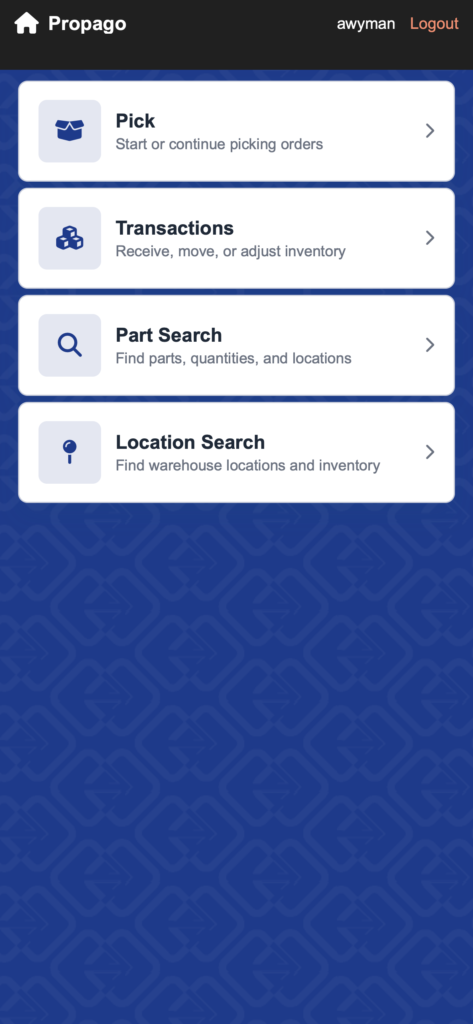
Pick
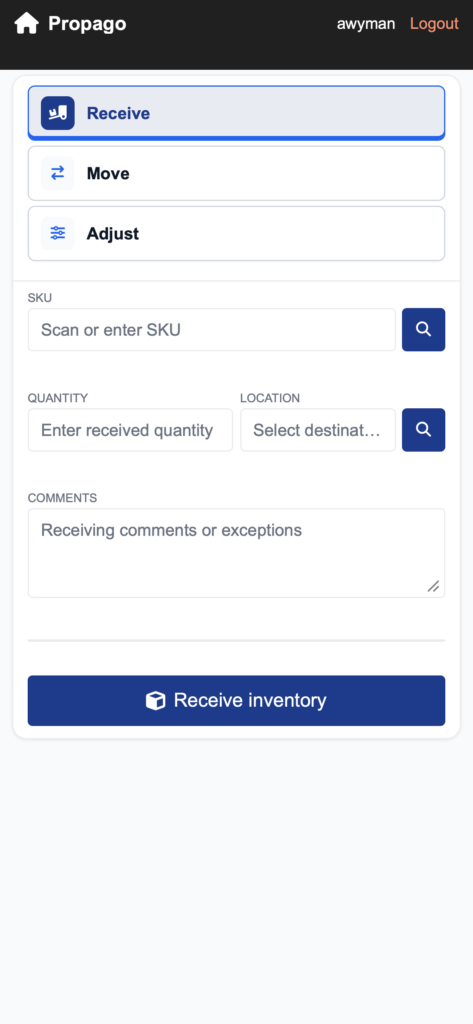
Transactions
Part Search
Location Search
Benefits
- Move through warehouse tasks faster. Improved performance means less waiting between screens during picking, searching, and transactions.
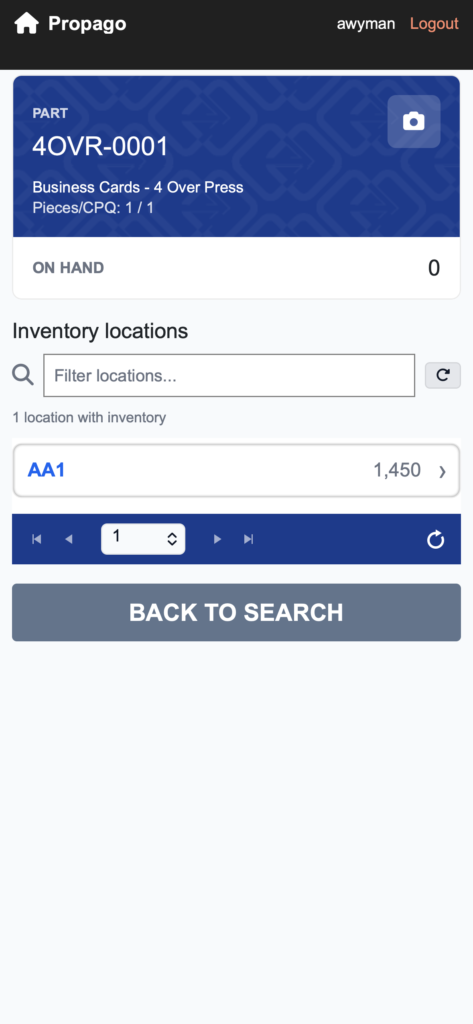
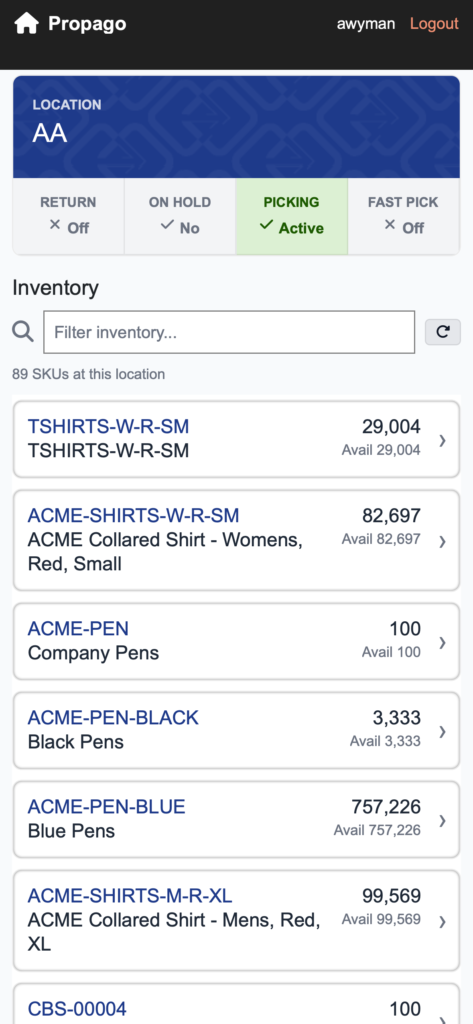
- Find what you need without scrolling. New filter bars on the Part Search and Location Search pages let you jump straight to the location or SKU you’re looking for.
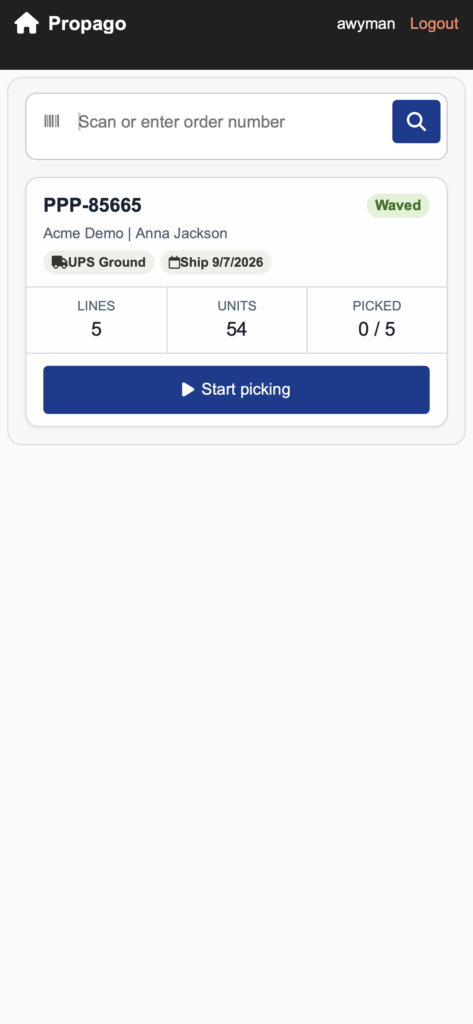
- Triage your pick list at a glance. The order list now shows more key details up front, so your team can prioritize before opening an order.
How It Works
- From your mobile device or RF gun, go to gun.mypropago.com.
- Log in with your existing back end user credentials.
- Use the interface exactly as you have before — the Pick, Part Search, Location Search, and Transactions sections are all still there, just faster and easier to navigate.
What’s New
Enhancements have been made throughout the new Warehouse Gun Interface, but here are a few updates that make finding what you are looking for a little easier and faster.
- Filter locations in Part Search. On a part’s details page, a new search bar lets you filter the list of locations that SKU is currently held at — helpful for parts stored in a lot of places.
- Filter SKUs in Location Search. On a location’s details page, a new search bar lets you filter the list of SKUs currently stored there.
- More order detail before you pick. The list of orders ready to be picked shows the number of order lines, total units, how many lines (if any) have already been picked, the user who placed the order, and the carrier.
We’d encourage you to log in and try out the refreshed Warehouse Gun Interface for yourself at gun.mypropago.com.
If you have any questions or need support, you can contact our support team at: [email protected]Find all of our Did You Knows here: Knowledge Library
Want to learn more about the Warehouse Gun Interface in Propago? Check out our previous Did You Know articles: