

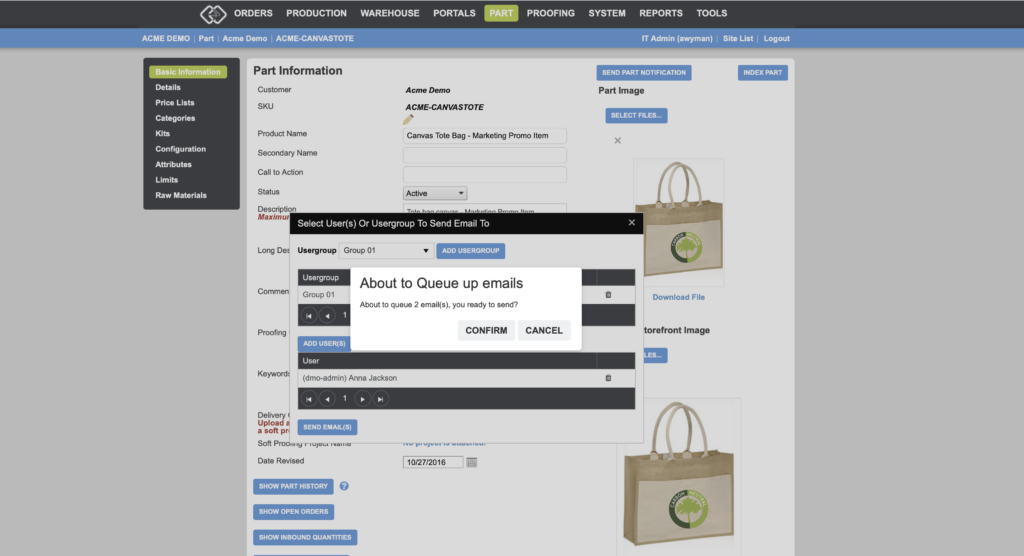
Letting users know when a product is available — or calling attention to an item that deserves a spotlight — can be done manually, in addition to using the automated Buyer Group alert. With the Send Part Notification feature, you can manually trigger a product availability email to any combination of users, user groups, or your entire user base, directly from the part page in the back end.
Benefits to You
- Proactively promote products by alerting users to specific items on demand, without waiting for an automated trigger to fire.
- Flexible recipient targeting — notify specific users, specific user groups, or everyone on the portal in a single action.
- Fully customizable content — the email template can be tailored to match your brand and messaging through the Custom Emails section.
How It Works
Sending a Part Notification
- In the back end, navigate to Parts and open the part you want to promote.
- On the part detail page, click Send Part Notification.
- Select your recipients — choose specific users, specific user groups, or all users on the portal.
- Send the notification.
Recipients will receive an email with basic information about the part and a link to log in to the portal.
Customizing the Notification Email
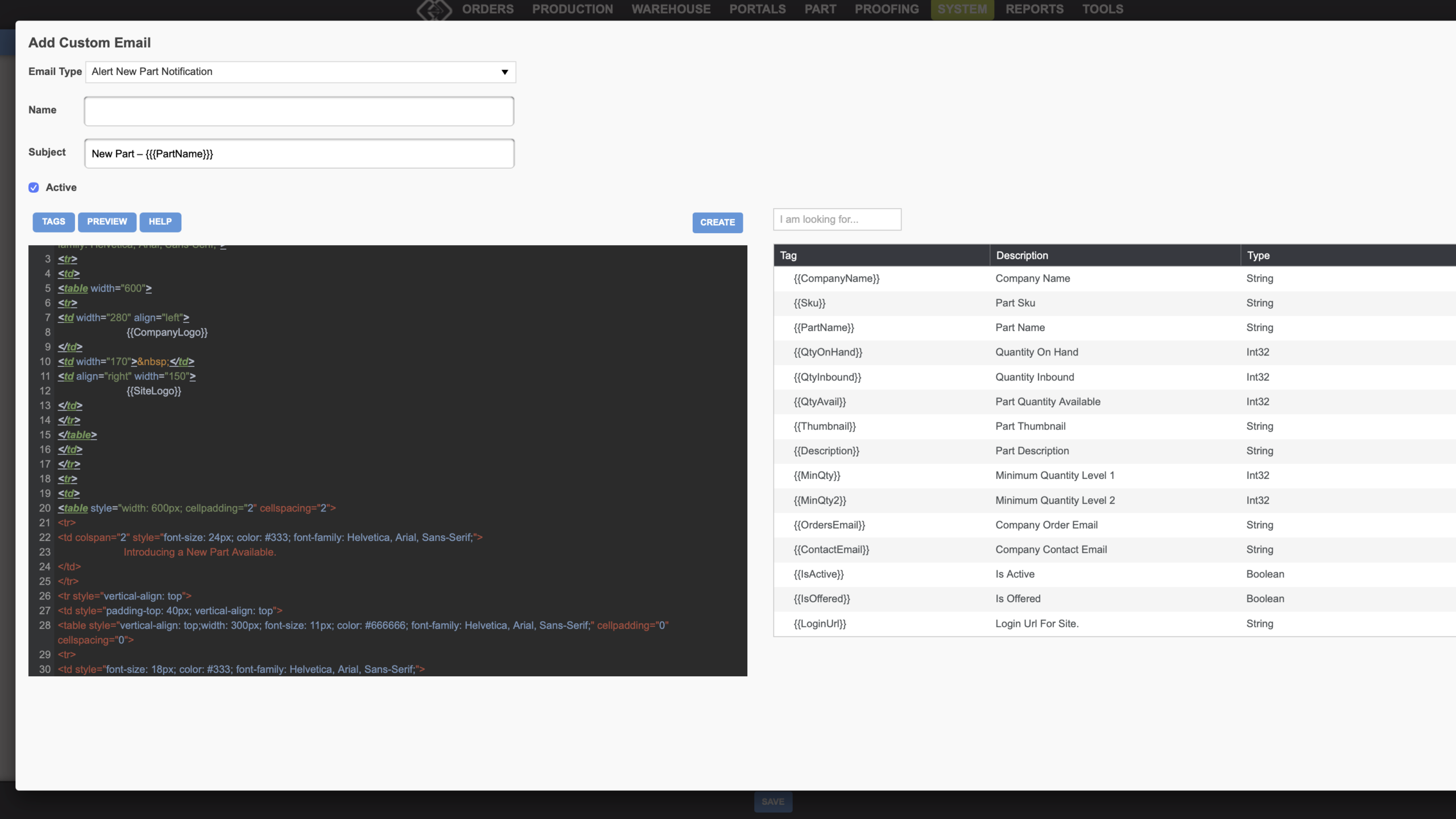
The part notification uses the same email template as the Buyer Group New Part Alert. To customize its content:
- Go to System > Site > Custom Emails.
- Find or create the New Part Alert email type.
- Customize the subject line, body content, and HTML formatting as needed.
- Use the Link Email option to associate the template with the appropriate portals or user groups.
Use Send Part Notification to keep your users engaged and informed whenever new or featured products deserve a spotlight. If you have any questions or need support, contact our support team at [email protected].
Want to learn more about customizing system emails in Propago? Check out our previous Did You Know articles: